Operator guide Β· Grow Your Limo

Which airport transfer pages should you create?

Create an airport transfer page when it answers a genuine journey task with useful route, pickup and quote information. An airport code or a different suburb name alone is not enough. Start with accepted journeys and passenger questions, then identify which answers are missing from the existing site.

Discuss your business β†—

Begin with actual coverage

List the airports and routes the operator really serves. Confirm the pickup base, vehicle suitability and any service limitations. Do not infer availability from a regional map or a nearby airport. If several suburb routes need the same answer, one complete airport service page may be more useful than repeated pages.

Separate arrival types

A flight arrival, cruise arrival and hotel pickup require different details. At an airport, taxis, rideshare and pre-booked chauffeurs can follow different procedures. Verify the current official guidance and the operator’s own arrangement. Do not reuse taxi instructions as a limousine promise or turn a taxi fare into a private transfer quote.

Collect the necessary traveller detail

Useful fields can include journey date, flight, pickup and destination, passenger count and luggage requirements. Ask only what the workflow needs at that stage. Explain whether staff will review availability or a tested reservation tool can confirm it. Approved waiting and delay policies belong in the page when they affect the decision.

Write a brief before a URL

State the distinct customer question, approved service facts, source links, proposed headings and enquiry action. Identify how it differs from existing pages. If the brief cannot explain the difference beyond a name replacement, consolidate the answer. Link the route naturally from the airport and relevant fleet content.

Maintain the changing facts

Airport procedures can change. Keep a source and review owner for the instructions; update the actual text before changing a freshness date. O’Hare and Sydney publish relevant transport guidance, but their arrangements are examples to verify, not universal rules. Measure airport enquiries and completed transfers separately from overall website traffic.

Apply this to your actual operation.

Use the relevant service scope and your operating market guide to prepare the next step. The booking calculator models your entered assumptions; a free meeting can address the real workflow.

Primary sources checked 6 October 2026: O’Hare ground transport Β· Sydney registered limousine procedures. Recheck changeable vendor and airport information before relying on it.

Editorial guidance updated 6 October 2026. Examples are illustrative unless explicitly identified as a documented project result.
The work behind the plan

Real operators.
Work you can inspect.

Published case studies from our own portfolio. Search traffic is shown as traffic, not bookings or revenue. Each story explains the work and its reporting period.

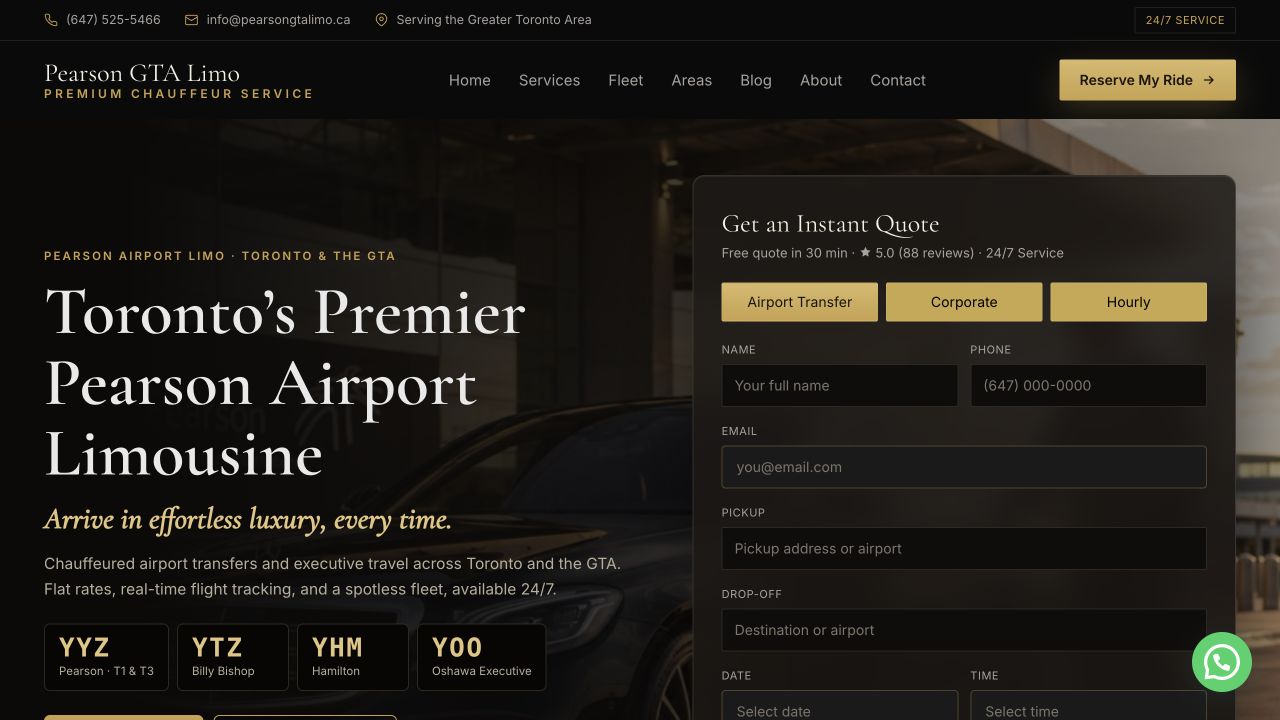
Pearson GTA Limo website preview
Toronto Pearson Β· Canada

Pearson GTA Limo

641/641

ranking searches kept through the Sept 2026 relaunch

82 city, 10 service and 13 route pages, with a 0.27s server response.

Read the case study β†—
DTW Taxi website preview
Detroit Metro Β· United States

DTW Taxi

231

Google visits in Sept 2026, up from 13 in Dec 2025

Flat rates published for 262 cities, and city pages rewritten to be unique.

Read the case study β†—

Your next stage of growth

More direct bookings.
Work out what it takes.

Start with the extra revenue you want each month. See the bookings, enquiries and advertising budget behind it, using numbers you can change.

Adjust conversion, capacity and cost assumptions

Starting values are illustrative assumptions, not limo industry benchmarks or a quote. Enter your own figures. Fees set to zero mean β€œnot entered”, not free service. Completed-booking conversion should include cancellations.

The starting cost and conversion figures are illustrative. Open the assumptions to enter your own numbers before making a spending decision.

Preview the next step, then enter your email to unlock the detailed plan and download. Nothing is sent until you submit the email form. Currency selection changes the unit; it does not convert exchange rates.

Your monthly booking goal

Your numbers. A clearer next step.

Enter your city and select Calculate. Your plan will appear here.

  1. Set a realistic goalUse your average fare, conversion rate and available capacity.
  2. Understand the costsCompare the advertising spend with the operating contribution in your scenario.
  3. Unlock your reportSubmit your email to see the detailed figures and download your plan.

Calculated from your inputs. No live search volumes, rankings or market prices are inferred.