Where do these notes come from?
I audit and fix websites for limo, chauffeur and airport-car companies. This page is the short list of problems I keep finding, written so you can check your own site before you pay anyone, including me.
Every number below comes from a real site I have worked on. The sites are public and listed in the portfolio. Where I quote Search Console figures, the window is the 90 days from 20 July to 17 October 2026, compared with the 90 days before that, pulled on 20 October 2026.
One caveat, once: rankings and clicks move for many reasons at the same time. Seasons change, Google updates, competitors launch. When I say clicks rose after a fix, I am reporting what happened in that window, not claiming the fix alone caused it.
| Problem | What it costs | Real example |
|---|---|---|
| Fake rating or testimonial markup | Rich-result and trust risk | ~165 pages on one site, 256 widgets on another |
| Slow mobile LCP | Visitors leave before the quote form shows | 7.6s to 3.6s; 9.4s to 3.5s |
| Slow server (TTFB) | Every page starts late | 0.9s to 0.27s |
| Orphan pages | Pages Google and visitors cannot reach | 16 to 2 |
| Duplicate city pages | Pages compete or get ignored | 27-29% overlap cut to 7-23% |
| Ads without tracking | Spend you cannot judge | CA$534.60, 0 tracked conversions |
| Unmapped redesign | Lost rankings after launch | 641 queries preserved |
Is your site showing star ratings or testimonials you cannot prove?
What it looks like
A "4.9 stars" badge in the header, five gold stars on every city page, or a testimonials block with first names and no source. Often a theme or plugin added it, and the owner never noticed. Behind the scenes it is usually review or rating structured data that Google can read.
Why it costs you
Google's structured data guidelines say markup must reflect what is really on the page, and that ratings not written by real users can lead to a manual action. Google's review snippet documentation also says a business's own pages are ineligible for star snippets when the business controls the reviews. So the stars rarely show in search anyway. What remains is the risk, and a customer who checks your Google profile and sees different numbers.
Check it in 5 minutes
- Paste your homepage and one city page into Google's Rich Results Test. Look for "Review snippets" or "aggregateRating".
- Open Search Console and check Manual actions. It lists structured data issues if Google has flagged any.
- Compare any rating on your site with your real Google Business Profile rating. If they differ, the site is wrong.
The fix
Remove every rating, review count and testimonial you cannot trace to a real, named source. Link to your real Google profile instead. Then grow real reviews; see review automation.
Real examples
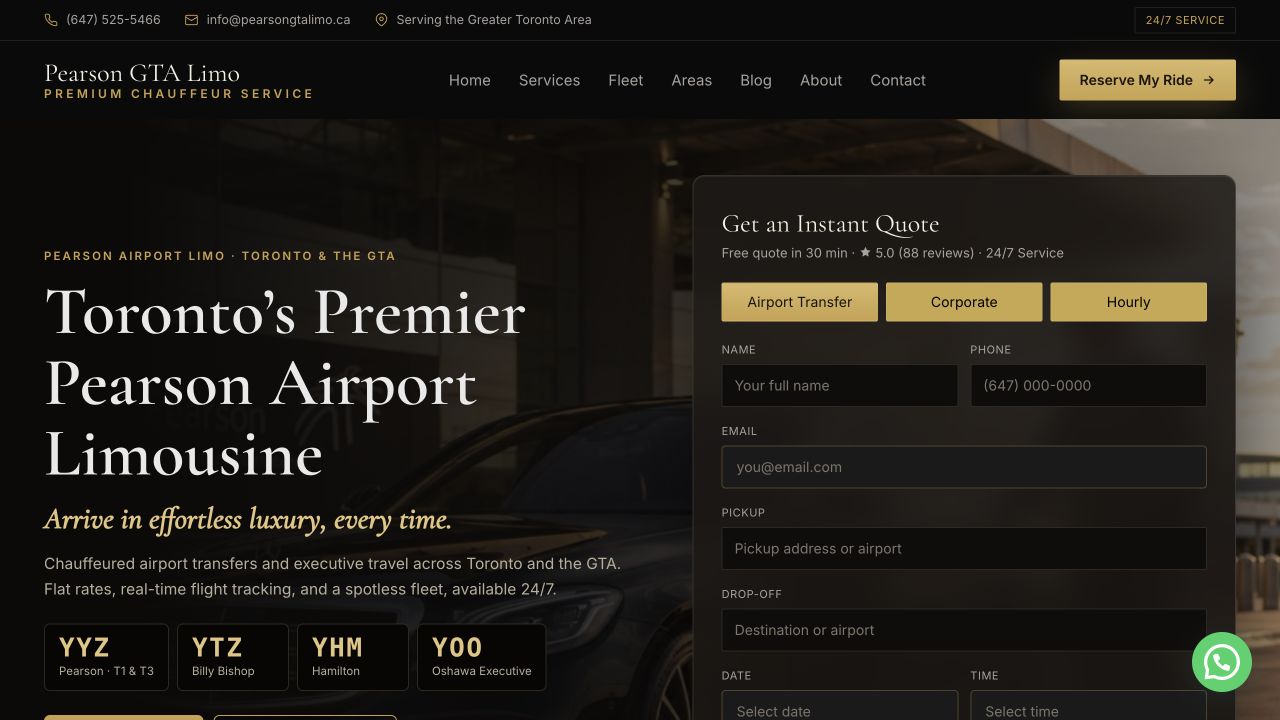
- A Toronto airport-limo site: the July 2026 audit found fabricated rating markup on about 165 pages. All of it was removed.
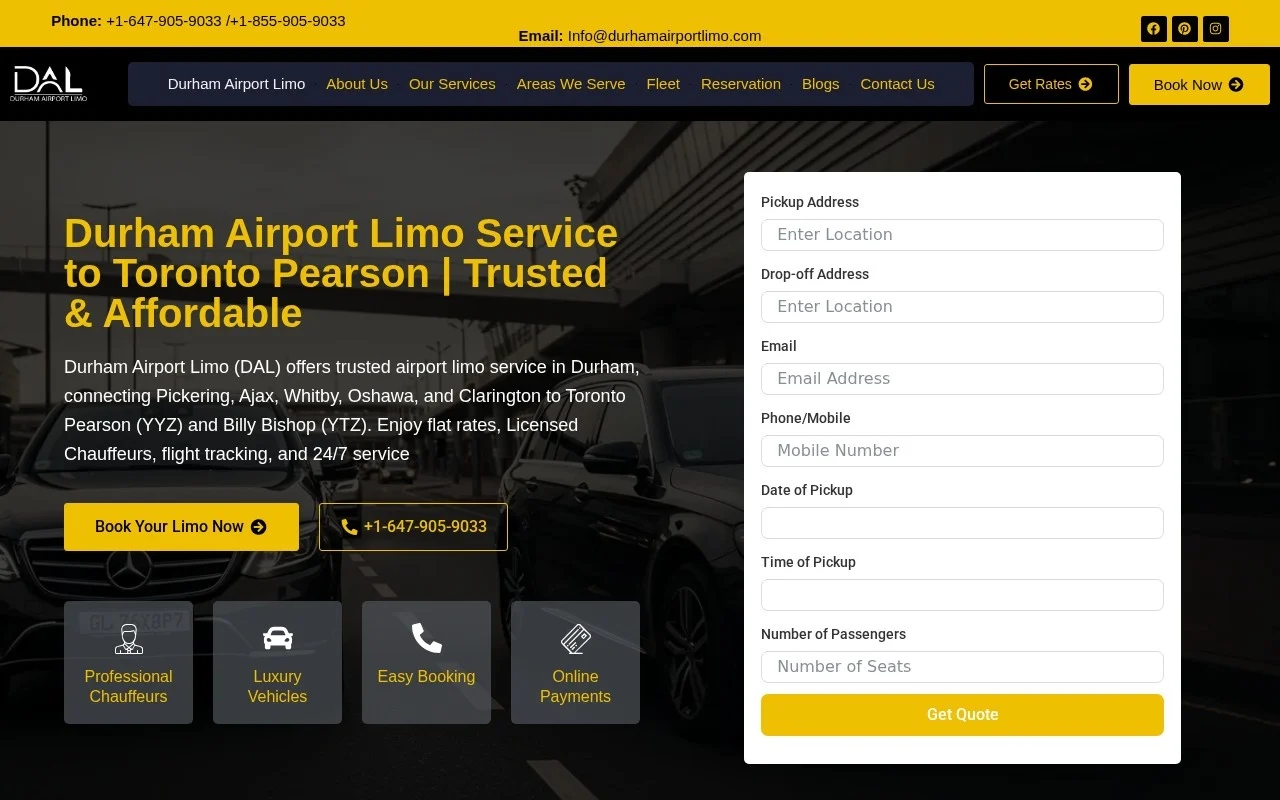
- A Durham Region airport-limo site: 256 fake rating widgets removed across 32 pages.
- A third GTA airport site: 46 fake testimonial sections removed.
The right pattern is to show your real Google profile rating as a link to the profile itself, not as stars baked into your own markup. A real 40 reviews beats an invented 500.
How long does your site take to show on a phone?
What it looks like
On a phone over mobile data, the hero image or headline appears after several seconds. A full-width video, a slider, five fonts and a chat widget all load before anything useful.
Why it costs you
Think of a traveller booking a ride from an arrivals hall on mobile data. Google's LCP guidance calls 2.5 seconds or less good and anything over 4 seconds poor, measured at the 75th percentile of page loads. Google says good Core Web Vitals are recommended for success in Search, but its page experience page is clear that they do not guarantee rankings. The bigger loss is the visitor who gives up before your quote form appears.
Check it in 5 minutes
Run your homepage and your top booking page through PageSpeed Insights. Read the mobile tab. If there is field data (real Chrome users over 28 days), trust it over the lab score. Note the LCP number, not the colour of the circle.
The fix
Compress and correctly size the hero image, stop loading video above the fold on mobile, defer chat and tracking scripts until after the page shows, and cut fonts to one or two. This is usually template work, covered in website design.
Real examples
- A London, Ontario limo site: mobile LCP went from 7.6s to 3.6s in lab tests (Lighthouse, before and after the fix).
- A Niagara wine-tour site: LCP went from 9.4s to 3.5s in lab tests.
These are lab numbers, not 28-day field data, so treat them as direction rather than proof. To be straight: 3.5 to 3.6 seconds is still in Google's "needs improvement" band, not "good". Both sites still have work left. Cutting more than half the wait still matters to a person on a phone.
Is your hosting slowing every page before it starts?
What it looks like
Every page, even a plain text page, pauses before anything happens. Cheap shared hosting, no page caching, and a heavy page builder are the usual mix.
Why it costs you
Time to First Byte is how long the server takes to start answering. It sits underneath every other speed number. Google's TTFB guidance treats 0.8 seconds or less as a rough "good" mark and over 1.8 seconds as poor. If the server is slow, image fixes alone will not get you to a fast page.
Check it in 5 minutes
In PageSpeed Insights, look for "Time to First Byte" in the field data or "Reduce initial server response time" in the diagnostics. Test two or three pages, not just the homepage.
The fix
Turn on full-page caching, use a CDN, update PHP, and remove plugins that run on every page load. Sometimes the answer is a better host.
Real example
A Toronto Pearson chauffeur site: as part of a full redesign that went live in September 2026, server response dropped from 0.9s to 0.27s.
Do you have pages nothing links to?
What it looks like
Someone built a "Limo to Niagara" or "Wedding limo in Oakville" page years ago. It exists in the sitemap, but no menu, footer or other page links to it. It is an orphan.
Why it costs you
Google's link guidance says every page you care about should have a link from at least one other page on your site. Orphans are hard for Google to value and impossible for a visitor to find by clicking.
Check it in 5 minutes
Open your XML sitemap (usually yoursite.com/sitemap.xml or /sitemap_index.xml). Pick ten service or city URLs. For each, search your site for a link to it from another page, or check Search Console's Links report for internal links. Zero means orphan.
The fix
Link each page from its natural parent: city pages from a service-area hub, routes from the airport page, services from the homepage. Delete or redirect orphans that should not exist.
Real example
A Toronto Pearson chauffeur site: orphan pages went from 16 to 2 in the September 2026 redesign, which organised 82 city pages, 10 service pages and 13 route pages under clear parents.
Are your city pages the same page with a different town name?
What it looks like
"Limo service in Ajax", "Limo service in Whitby", "Limo service in Pickering": same paragraphs, same fleet list, same FAQ, town name swapped. Owners build these because competitors have them.
Why it costs you
Google's spam policies describe doorway abuse, which includes pages targeted at specific cities that funnel users to one page, and substantially similar pages. Even without a penalty, near-identical pages compete with each other and Google picks few, or none, to show.
Check it in 5 minutes
Open two city pages side by side. Read the middle third of each. If you could swap them without anyone noticing, they are duplicates. A free text-compare tool will give you a rough percentage.
The fix
Give each city page facts only that city has: real travel time and fare to the main airport, local pickup points, venues you actually serve, and specific routes. Fewer, better pages beat many thin ones.
Real example
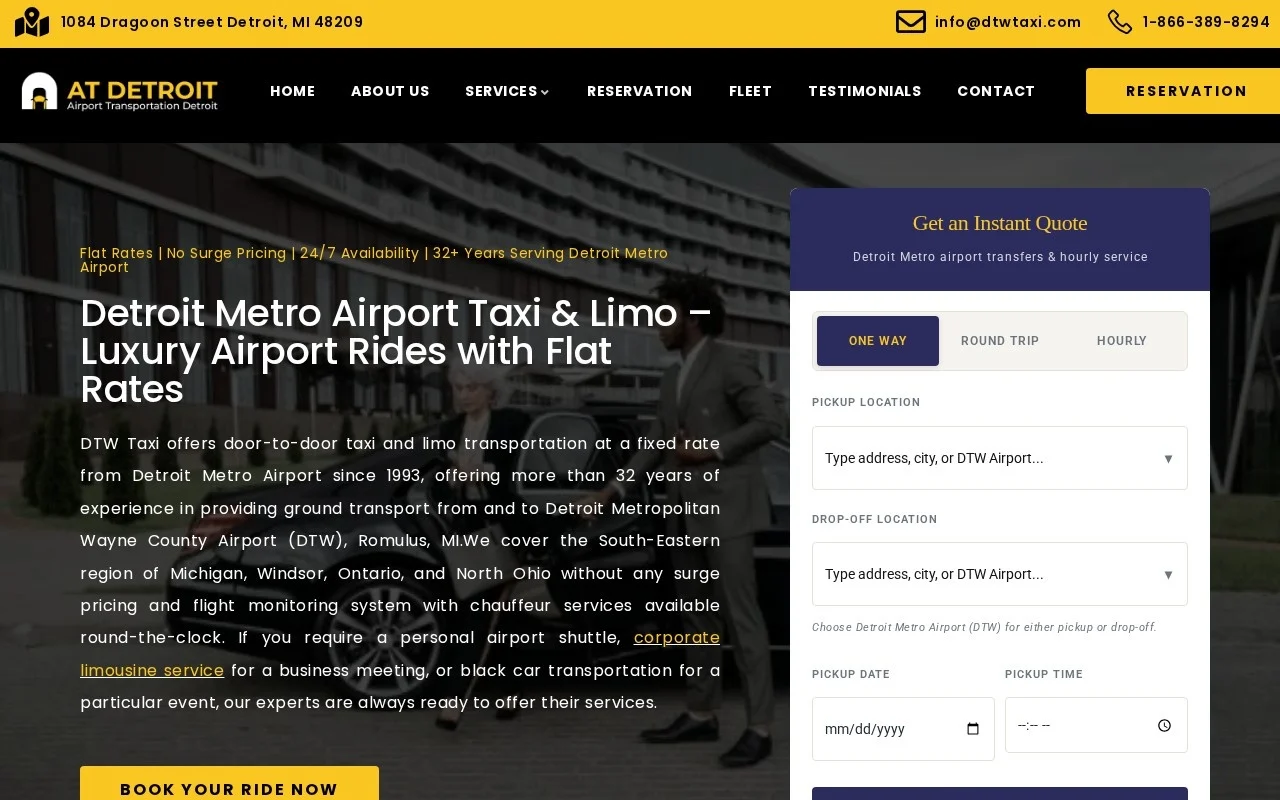
A Detroit airport taxi site (a Detroit airport taxi site): city pages were made unique, cutting duplicate overlap from 27-29% to 7-23%. The same project fixed HTTPS and published 2026 rates for 262 cities. In the 90 days to 17 October 2026, the site had 533 clicks and 61,464 impressions, against 346 clicks and 44,294 impressions in the previous 90 days. That is 54% more clicks. Several changes landed together, so I credit the whole project window, not one fix.
Is your area copy written for Google instead of passengers?
What it looks like
Paragraphs like "We are the premier luxury limousine service provider offering top-notch transportation solutions" repeated across pages. Long, keyword-heavy, and nothing a passenger can use.
Why it costs you
A traveller wants to know price range, vehicle size, pickup process and whether you serve their address. Filler pushes that down the page. Google's spam policies also warn against keyword-heavy pages that make little sense to readers.
Check it in 5 minutes
Read one city page out loud. Count the sentences that contain a fact (a time, a price, a place, a vehicle capacity). If fewer than half do, it is filler.
The fix
Rewrite to answer real questions in the first screen, then cut. Put the quote form high on the page.
Real example and an honest result
The Toronto airport-limo site above: 46 city pages were rewritten to remove filler after the July 2026 audit, alongside the rating cleanup and a site-wide areas map. In the 90 days to 17 October 2026, clicks were 1,188 against 1,184 the 90 days before: flat. Impressions rose from 96,999 to 107,701. Not every fix shows up as a traffic jump in one quarter. Removing risk and junk is still the right base.
Do your search titles all say the same thing?
What it looks like
Search Console or a site: search shows "Home - Company Name", "Services - Company Name", or the same title on twenty pages. Meta descriptions are blank, so Google picks random text.
Why it costs you
The title is the line people click in search. Google's title link guidance asks for a descriptive, distinct title on every page, without boilerplate or keyword stuffing.
Check it in 5 minutes
Search site:yourdomain.com in Google and scan the first two pages of results. Note any duplicates, vague titles or wrong cities.
The fix
Write one clear title per page: service, place, and what makes it worth the click. Write a meta description that answers the question behind the search. Then check that the live page really outputs what you wrote; SEO plugins and themes sometimes override each other.
Real example
A Durham Region airport-limo site: all 44 of 44 titles and meta descriptions were rewritten and verified on the live pages, and 42 audit defects were fixed down to 0. The site had 262 clicks and 9,538 impressions in the 90 days to 17 October 2026.
Are you paying for Google Ads you cannot measure?
What it looks like
Ads are on. Money leaves the card. Nobody can say which calls or quote requests came from them.
Why it costs you
Google Ads conversion tracking is what tells you, and Google's bidding, which clicks turned into calls or form submissions. Without it you cannot cut bad keywords or prove good ones.
Check it in 5 minutes
In Google Ads, open Goals, then Conversions. Is there at least one active conversion for a quote form submission and one for calls? Does its status show it is actually recording? Then submit a test quote on your site and see if it appears within a day.
The fix
Set up form and call tracking first, send ads to a page with a short quote form, and add negative keywords. The full checklist is in Google Ads: cost per booked ride.
Real example
The same Durham site ran a 30-day Google Ads test: CA$534.60 spent, 350 clicks, 0 tracked conversions. That works out to about CA$1.53 a click. Zero tracked conversions does not prove zero bookings; it proves nobody could tell. The lesson I took: tracking and the landing page come before spend.
Will your redesign throw away the pages that already rank?
What it looks like
A new site launches with new URLs, fewer pages and a fresh look. Two months later calls are down, and nobody kept a list of what used to rank.
Why it costs you
Old URLs carry your search history. Google's site move guidance says to map every old URL to its new one with permanent server-side redirects, keep redirects for at least a year, and expect rankings to fluctuate while Google recrawls.
Check it in 5 minutes
Before any redesign, export Search Console's Performance report for 16 months, by page and by query. Ask your designer how each ranking URL will be kept or redirected. If there is no written answer, stop.
The fix
Keep the URLs that rank where you can. Redirect the rest one-to-one, never all to the homepage. Recheck the queries list after launch.
Real example
A Toronto Pearson chauffeur site: the full redesign went live in September 2026 with 82 city pages, 10 service pages and 13 route pages. All 641 queries the site was already ranking for were preserved through the migration. The site had 143 clicks and 24,076 impressions in the 90 days to 17 October 2026, a window that includes the launch.
Is your audit tool sending you after problems you do not have?
What it looks like
An automated report says your name, address and phone (NAP) are inconsistent, or lists dozens of "errors" with red icons. You pay someone to fix them.
Why it costs you
Time and money go to phantom problems while the real ones above stay open.
Check it in 5 minutes
For every flagged phone number, open the page and look. Is it really a phone number shown to visitors, or a code value the tool misread?
The fix
Treat automated flags as leads to check, not as findings. Keep one correct phone format across your site, your Google profile and directories, and verify by eye.
Real example
In September 2026 I ran a NAP scan across 10 limo sites. It flagged 7 of the 10 for bad phone numbers. Every single flag was a false positive: CSS z-index values, URL-encoded SVG colour codes and form placeholder text that happened to look like digits. Real problem count: zero.
Where should a limo owner start fixing these website mistakes?
In order of risk and effort:
- Remove fake ratings and testimonials. It is quick and removes a real risk.
- Fix conversion tracking before spending another dollar on ads.
- Get mobile load time down on your homepage and booking page.
- Fix titles on your top 10 pages.
- Make city pages earn their place or merge them.
- Before any redesign, export the queries and URLs that already rank.
If you want a second pair of eyes, the limo SEO service starts with this kind of audit, and what limo SEO costs explains scope. If ratings are the issue, see Google Business Profile optimisation. For booking flow problems, see reservation system integration. Or get a rough number from the estimate tool.
Quick answers
What are the most common limo website mistakes?
The most common limo website mistakes we find are fake star ratings, slow mobile pages, copy-paste city pages, untracked Google Ads and redesigns that drop ranking URLs. On a Durham Region airport-limo site alone, 256 fake rating widgets were removed across 32 pages, and a 30-day Google Ads test spent CA$534.60 on 350 clicks with 0 tracked conversions.
What should a limo website checklist include?
A limo website checklist should cover five things: only real reviews and ratings, a mobile Largest Contentful Paint of 2.5 seconds or less (Google's 'good' threshold), city pages that are genuinely different, tested conversion tracking for forms and calls, and a URL redirect map before any redesign. Each section of this guide has a five-minute check for one of them.
What is wrong with limo website templates?
A limo website template is not wrong in itself, but templates often bring the problems in this guide: the same layout and copy as other operators, sliders and scripts that slow mobile pages, and city pages that differ only by name. Google's spam policies treat substantially similar city pages that funnel users to one place as doorway abuse. See limo website design.
How much does a limo website cost?
A limo website's cost depends on page count, original photos, the platform and how the booking system connects, so we do not quote a single price here. Our limo SEO cost and scope guide explains what moves the price. At Grow Your Limo, vendor booking charges and custom API work are scoped separately from the design itself.
Sources checked 20 October 2026: Google structured data guidelines, Google review snippet documentation, Search Console manual actions report, Rich Results Test, web.dev LCP, web.dev TTFB, Google Core Web Vitals, Google page experience, PageSpeed Insights documentation, Google crawlable links, Google spam policies, Google title links, Google Ads conversion tracking, Google site moves with URL changes. Project figures are from Grow Your Limo audit records and Google Search Console, pulled 20 October 2026.
Written by Wali Shah, Grow Your Limo. Updated 20 October 2026.